

What's new in 1.2
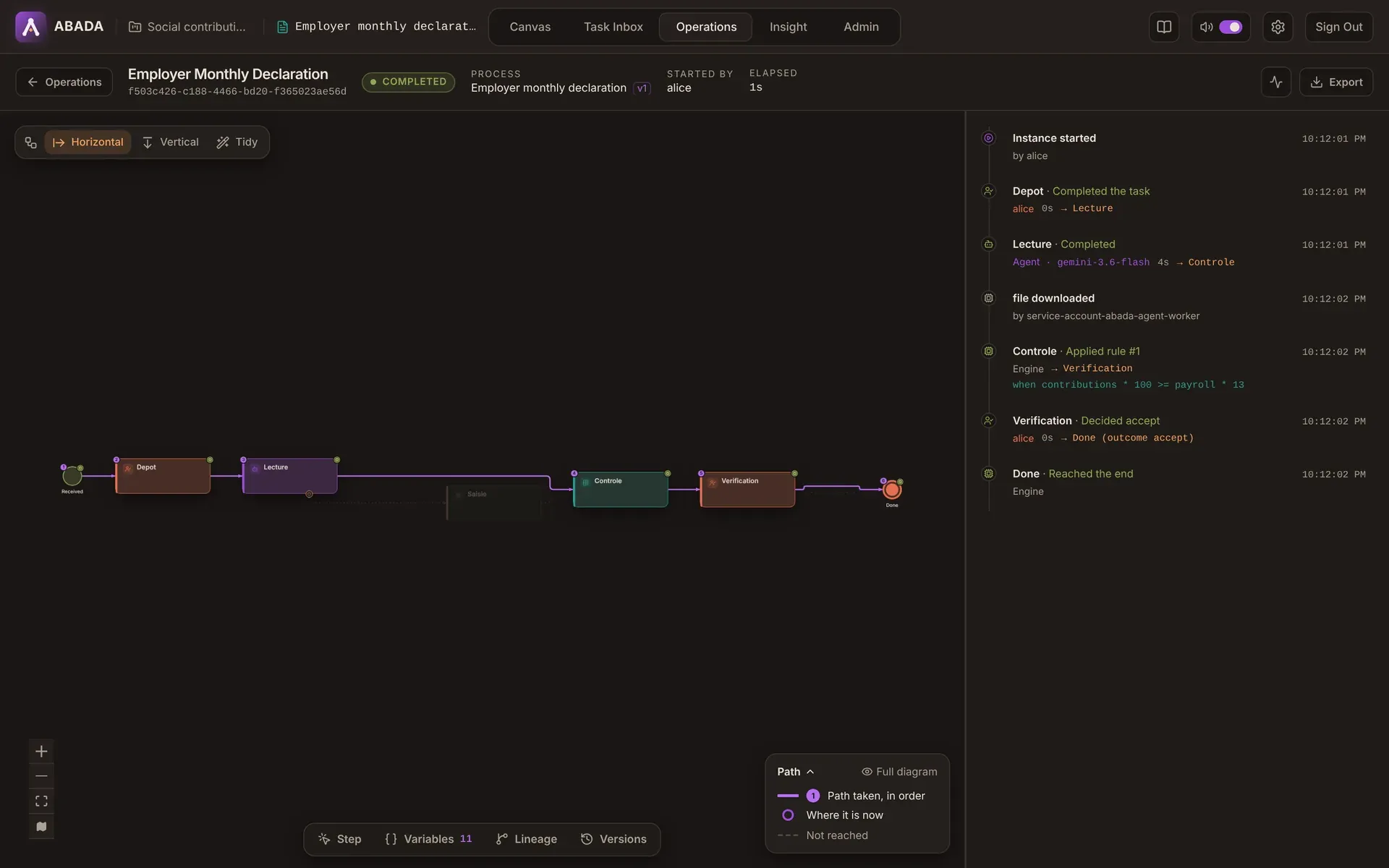
1.2 is about seeing what a process does. Open an instance and tell at a glance which path it took and why; start one and watch it run step by step; fix a failed step where it failed. It also brings forms with files, agents that read documents, and a trail of every administrative change.
What you can now do
Section titled “What you can now do”See what an instance did, and watch it run
Section titled “See what an instance did, and watch it run”- The path taken, at a glance. A finished instance shows the route its tokens actually took, numbered in order; each decision shows the branch that matched; steps that never ran fade into the background.
- Runs at a human pace. A running instance and a Dry Run play back calmly, briskly or instantly. A badge says how far the screen is behind the engine, and Jump to now catches up. Incidents and the end of a run are never held back.
- Incidents on the node. A failed step is highlighted on the canvas with Retry (or Retry on another model for an agent) right next to it, and the retry plays out on screen.
- A live audit trail opens with the instance and writes itself entry by entry, in step with the canvas.
- A redesigned Operations view, centred on the canvas, with the variables shown as a searchable tree and every JSON payload in one readable viewer.
See Operate running processes.
Build processes faster
Section titled “Build processes faster”- Every node is editable in the properties panel, decision tables first: rules, reordering and rule-level checks by the engine. The palette uses the canvas shapes.
- A form designer with sections, columns and steps, richer field types, and a layout that stays compact as the form grows. Forms are pinned when a process is deployed, and the engine checks every completion against them.
- File upload in human tasks. Files are stored in RustFS, an S3-compatible object store that runs on your own servers; the process holds a reference, never the bytes.
- Draft a process with AI in a workspace. Refine the draft with a live diagram, its APL and a diff, then apply it to the canvas as one undoable change.
Let agents read documents
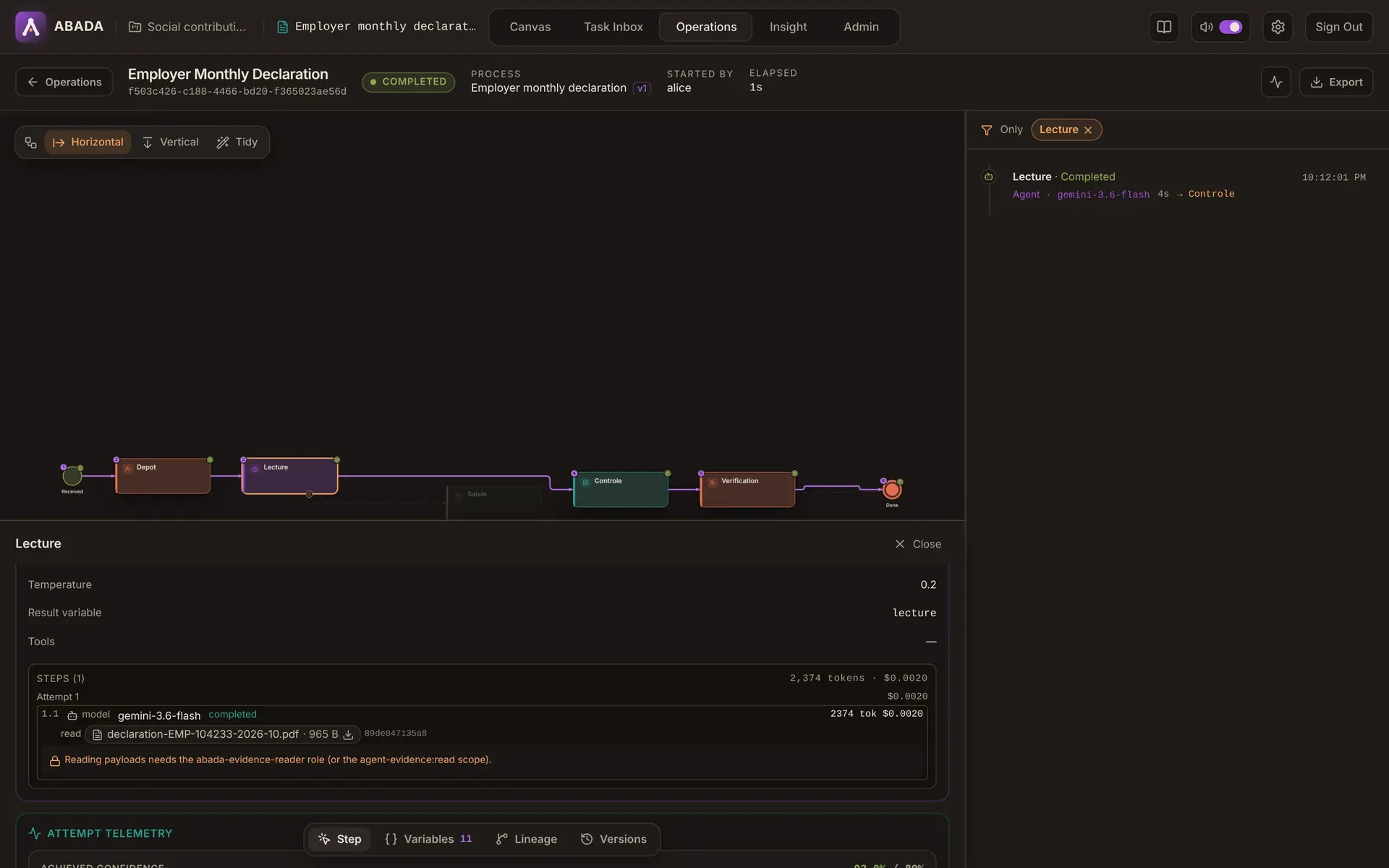
Section titled “Let agents read documents”An agent can read the scan, photo or PDF a person uploaded, not only text.
Declare the files in files; the engine checks each file belongs to the case
before the agent runs, the worker verifies it byte for byte, and each model
call records the file’s sha256 as evidence. Images and PDF work with Gemini,
OpenAI and OpenRouter; images with Anthropic and most self-hosted vision
models. See Let an agent read a document.
Know who changed what
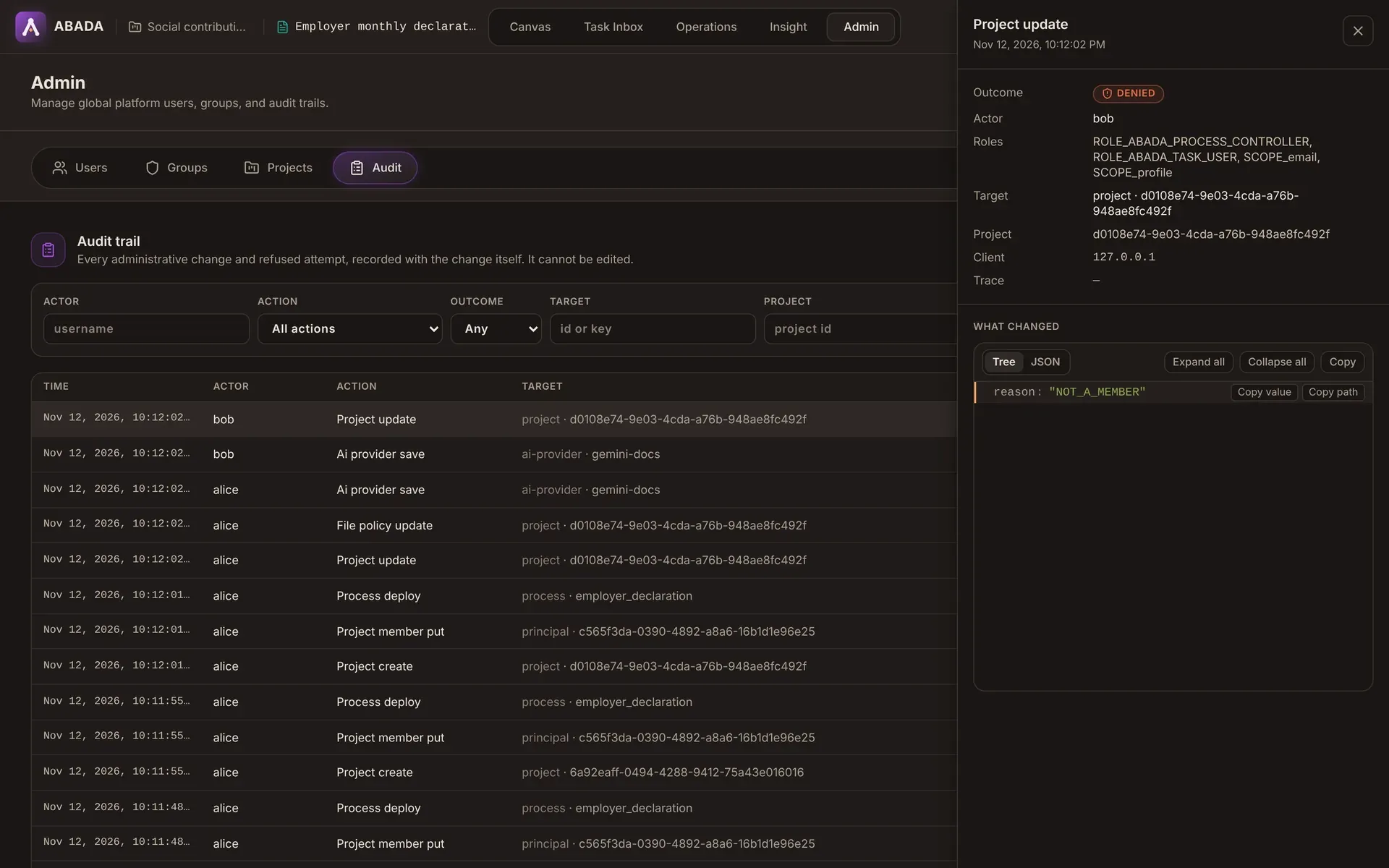
Section titled “Know who changed what”Administration → Audit lists every administrative change (projects and members, AI providers and their keys, policies, deployments, rollbacks, proposal reviews) and every refused attempt, with who, when, before and after, and a CSV export. Entries cannot be edited or deleted, not even in the database. Secrets are never recorded. See Users, groups and project access.
Before you upgrade
Section titled “Before you upgrade”- RustFS is now required for self-hosted installations. The Compose stacks and the installer start it; an existing installation adds it before upgrading. See Backup and upgrades.
- Four database migrations run on start: pinned forms (V41), process files (V42), the administration audit trail (V43) and the files of agent calls (V44). Back up PostgreSQL first.
- Forms are pinned at deployment. Processes deployed before 1.2 keep their unchecked live forms; redeploy to get the checks.
- Back up RustFS with PostgreSQL from now on: the file contents live there.
The full technical notes, with every migration and limitation, are in docs/release-notes.